Group Options
Written By Side Space
Last updated Almost 2 years ago
Right-click on a group to access a variety of options for managing it. From here, you can quickly perform actions like opening, moving, copying, or deleting the group with ease.
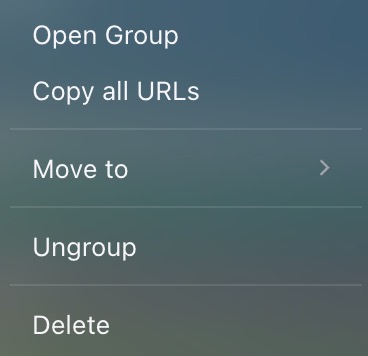
Open Group: Open all tabs in the group within the same browser window.
Copy All URLs: Copy the URLs of all tabs in the group to your clipboard for easy sharing or saving.
Move to: Transfer the entire group, along with its tabs, to a different space.
Ungroup: Dissolve the group, leaving the tabs as individual entries.
Delete: Remove the group and all its tabs entirely.
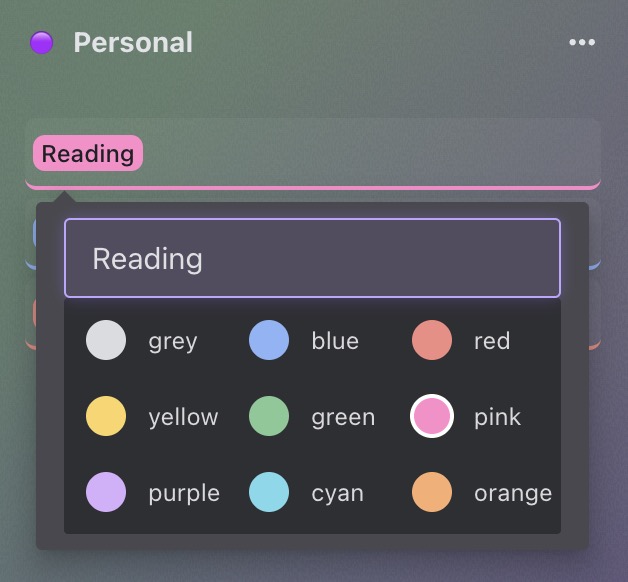
On the Space Management page, you’ll find additional options to customize and organize your groups:
Rename Group: Click the group name to edit and update it.
Change Group Color: Choose from 9 vibrant colors to personalize your group.
Reorder Groups: Rearrange groups by dragging and dropping them within the space or moving them to a different space entirely.
These options give you greater flexibility to keep your groups organized and visually distinct.
Was this helpful?
Still need help? Share an idea